
I won’t even try to explain how this works, but its pretty amazing. The creators at Tangible Media Group sum it up as –
“inFORM is a Dynamic Shape Display that can render 3D content physically, so users can interact with digital information in a tangible way. inFORM can also interact with the physical world around it, for example moving objects on the table’s surface. Remote participants in a video conference can be displayed physically, allowing for a strong sense of presence and the ability to interact physically at a distance. inFORM is a step toward our vision of Radical Atoms: tangible.media.mit.edu/vision/ ”
If you’d like to read more about this project you can visit their site here
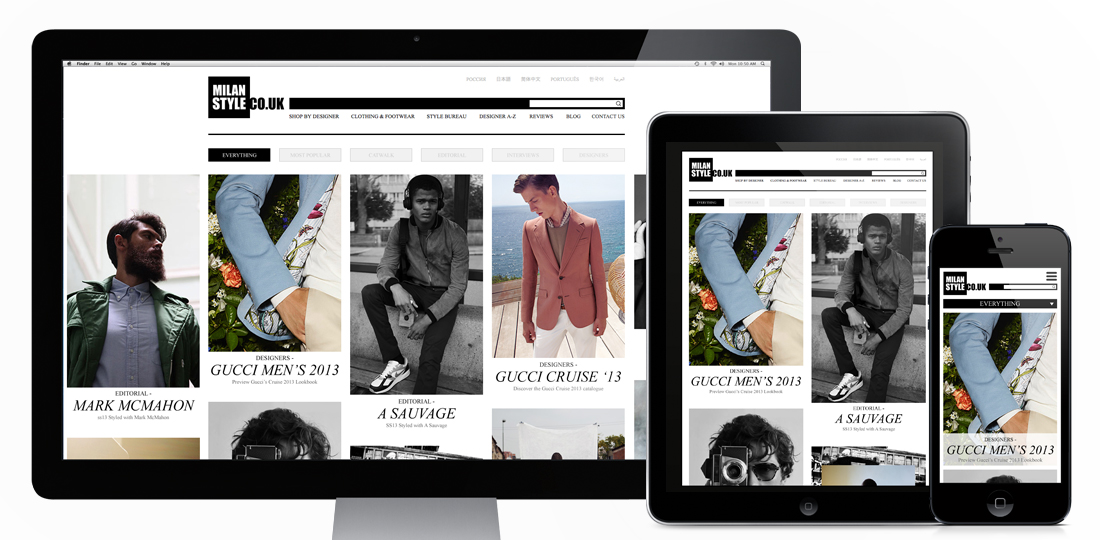
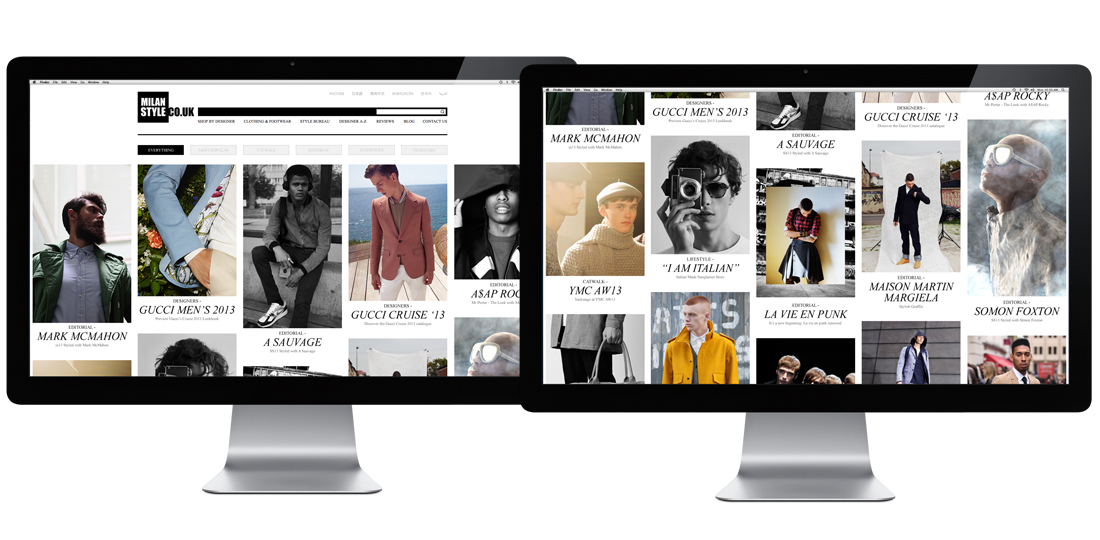
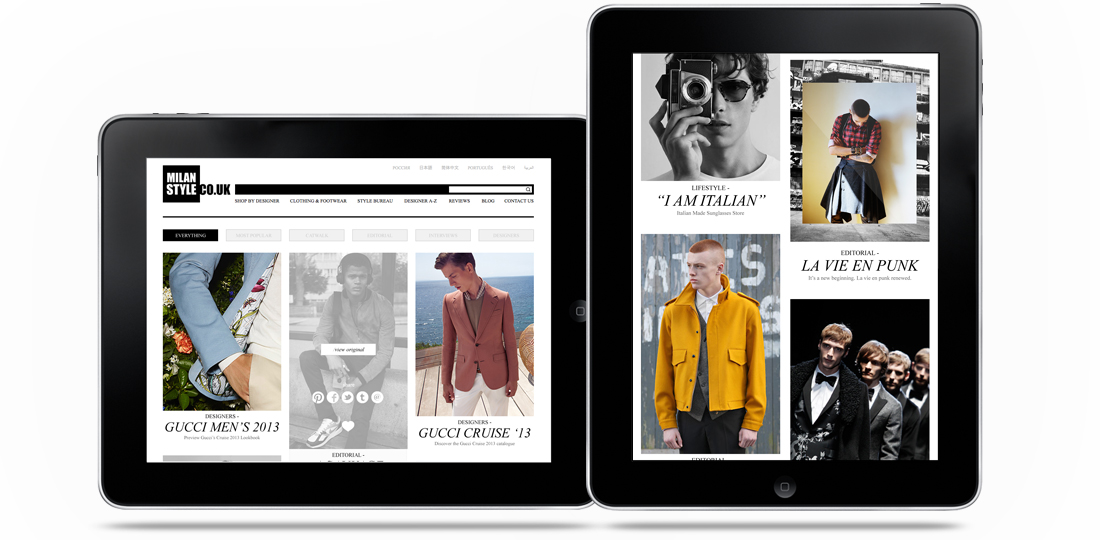
The fashion ‘Portfolio’ I designed for Milan Style is now live! Designed to be a clean, responsive experience the site pulls in editorial content from a selection of major fashion sites (including Gucci, Oki Ni, Matches, Mr Porter and many more) and creates a central hub to view the upcoming trends and styles in the Male fashion world. With content ranging from Catwalk shots to editorial it works as a curated overview of what the top end of fashion are producing from season to season. It was designed to be responsive to cater for more detailed browsing on a desktop, or for a quick bit of mobile eye candy if you’re on the go, and has a couple of nice little features thrown in too (like the Pinterest style colour matching on load, and the animation of content on window re-size).
You can see more of this project on my site here
Or you can take a look at the full site here
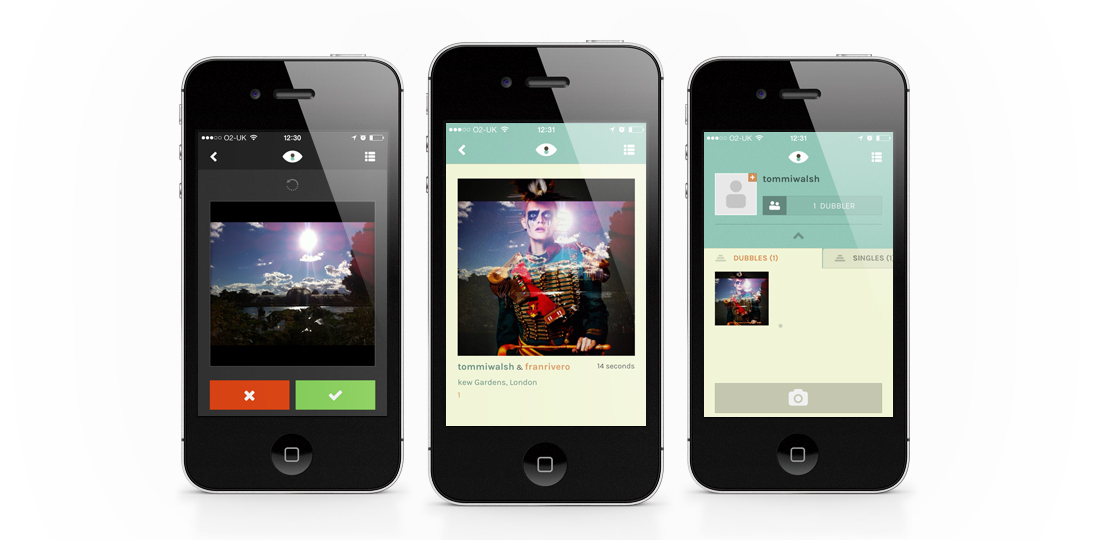
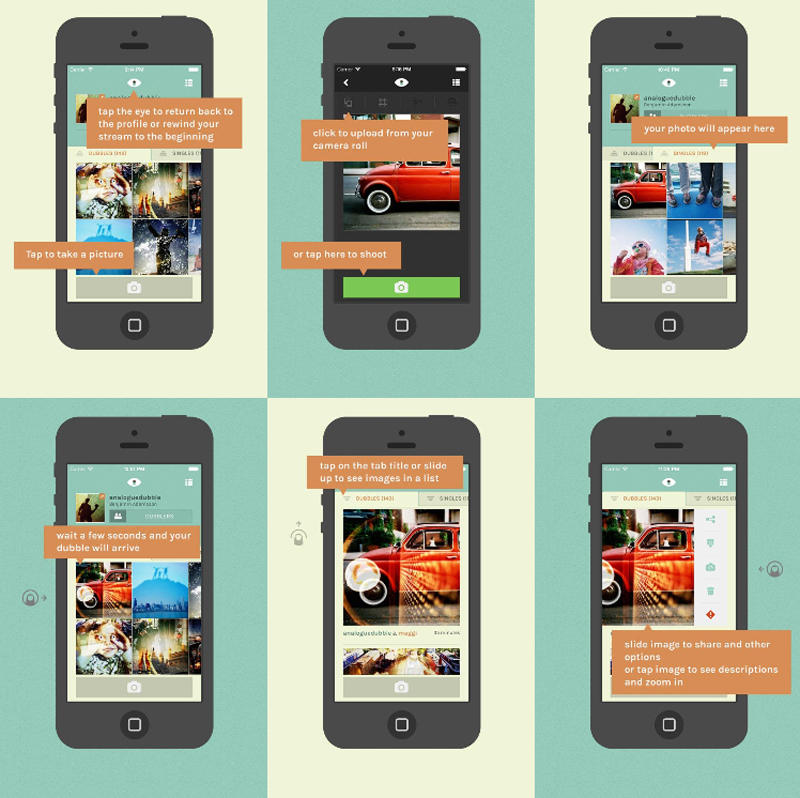
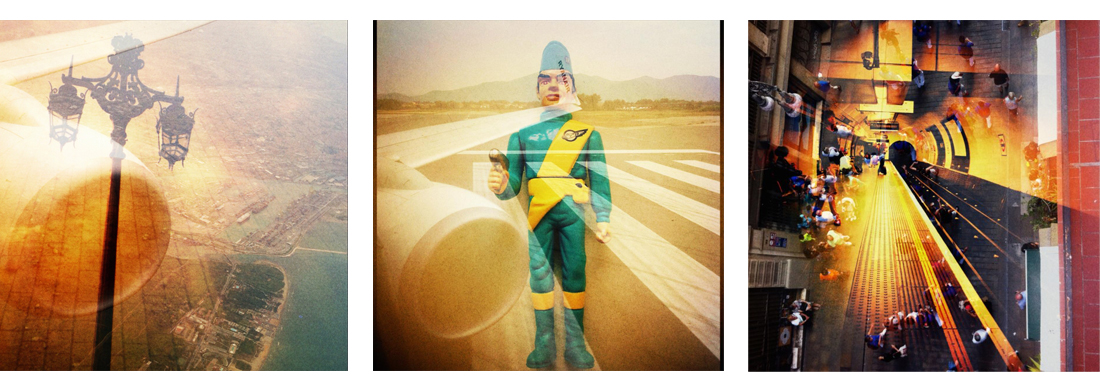
Dubble, the new iPhone app which explores and experiments with double exposure. With a nice, clean and friendly interface Dubble is about as straight forward to get started with as you can get (which makes me wonder why they spent so much time on infographics to explain it… I won’t knock them for that though, they’ve been nicely done and add to the feel of the app as a whole). How it works, in a nutshell, is you take a photo and upload it. Seconds later that photo is ‘double exposed’ (overlaid/blended) with another Dubble user’s photo from anywhere in the world.
Double exposing isn’t a new idea, not even in terms of apps, or even apps this year (see my earlier post on the Goldfrapp app here), but what I like about this one is the random possibilities of the collaborations. It brings back the feel and excitement of taking a film in to be processed. Waiting/wondering/worrying how/if they’ll turn out. At least with this app you don’t have to worry about wasting your money on out of focus or overexposed prints though, as its free!
Interface wise its clean and simple. Fairly familiar in design to quite a few apps, but still nice to look at. Some of the icons seem a little chunky, but as a whole that’s a pretty minor criticism.
If you want to have a play for yourself you can download Dubble from the App Store here
(it’s not available on Android, yet)
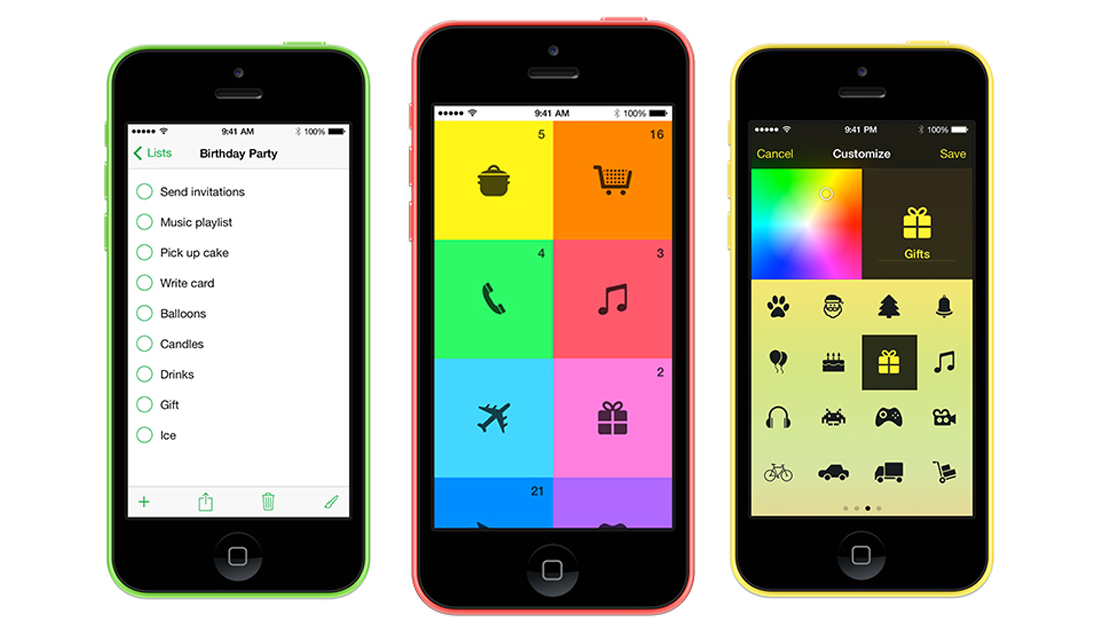
If you liked Clear, the designers to-do app, you’ll love Tick. Designed from the ground up for iOS7 it makes organising your life far more enjoyable than endless post-it notes…
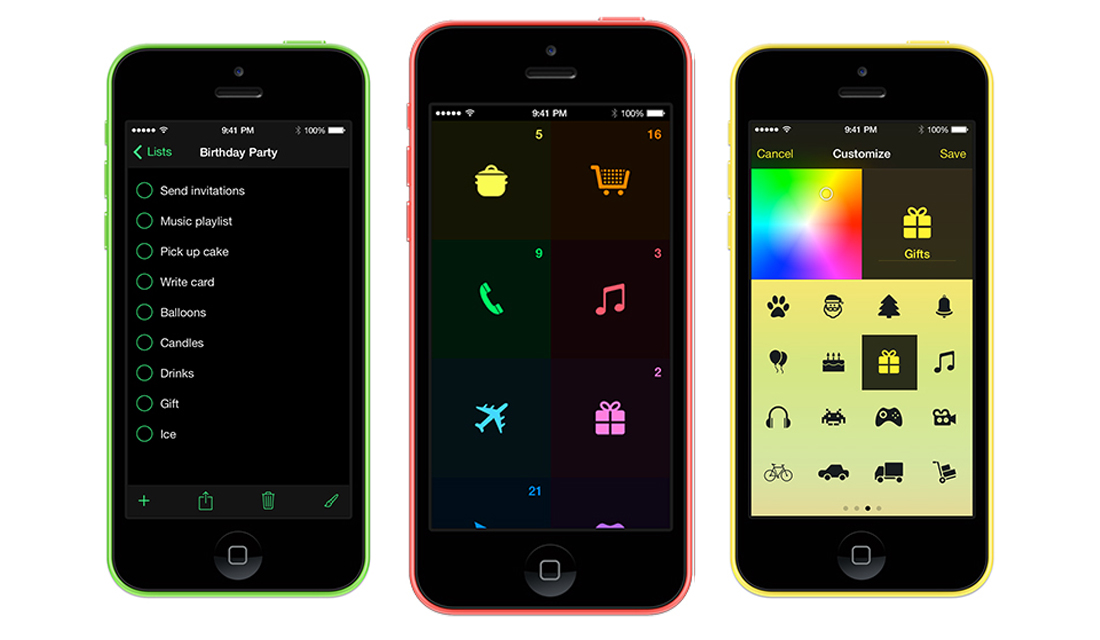
I’m a list person. I have shopping lists on my phone, post-its stacked next to my computer (work and home), and scribbles all over various sketchbooks and envelopes scattered around the place. This may give me the feeling of being organised, but if I’m honest I quite often find lists long after I was supposed to have finished them. That’s how I stumbled across Tick. With its simple icon centred design, and the ability to customise colours to your preference it couldn’t be more straight forward. For the more experimental users they even chucked in a few swipey short cuts. The main thing I like about this app is, however, something that pretty much boils down to a design feature, of course. Its what the makers Taphive describe as ‘Ambient aware’. Which means that it detects the lighting in the room you’re in and switches itself to night mode if there’s low light. A lovely, simple touch that made it stand out for me.
If you’d like to organise yourself a bit more too, you can download it here
Taphive also have a pretty nifty app called Blur Studio. I’m yet to play with that one, but you can take a look at it here.
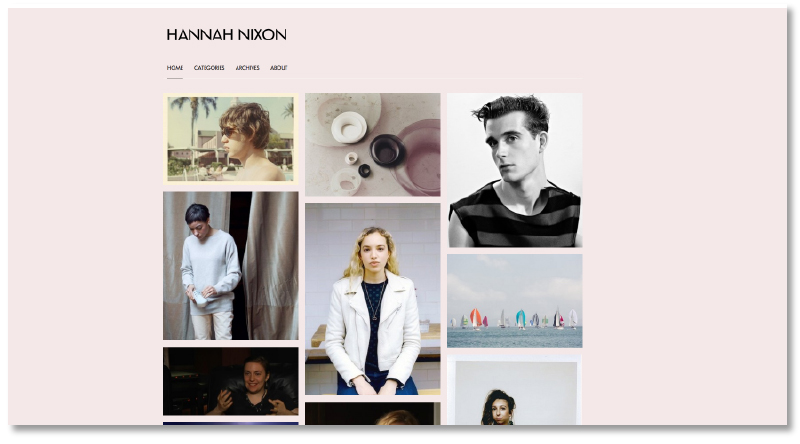
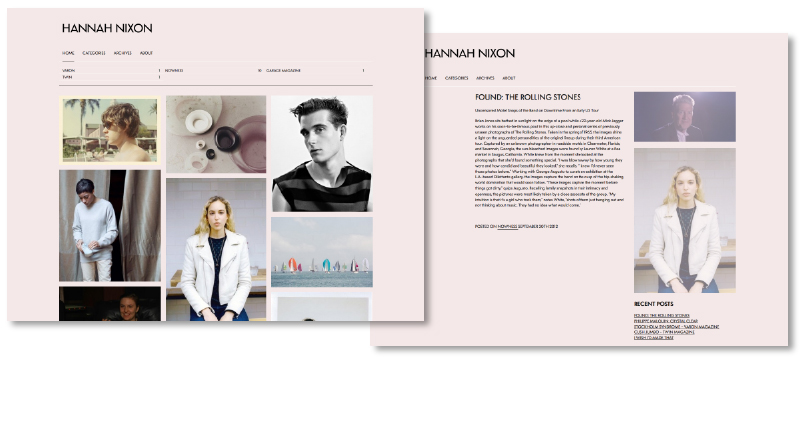
The customised WordPress I set up for fashion writer Hannah Nixon is now live! A re-worked version of the Imbalance theme, it showcases her writing through a visually engaging home page which invites the user to delve deeper. Another element of the theme that made it a particularly appropriate choice is how you navigate using categories, allowing Hannah to group her work by publication/website. Doesn’t look too bad either!
You can take a look at the live site here
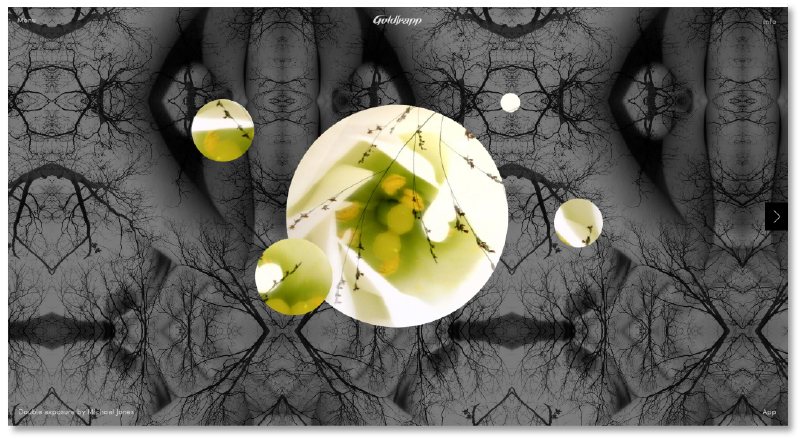
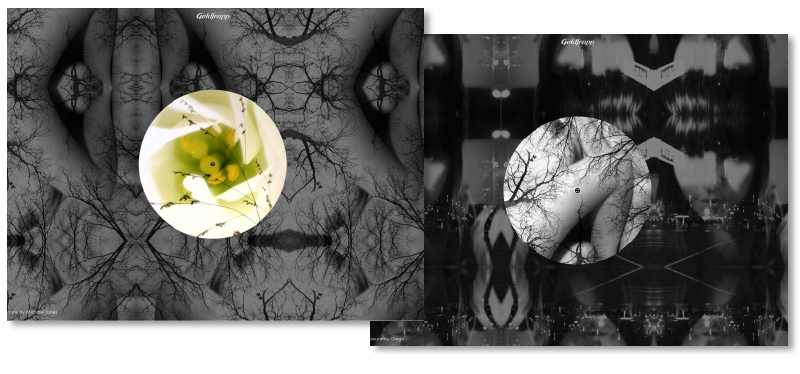
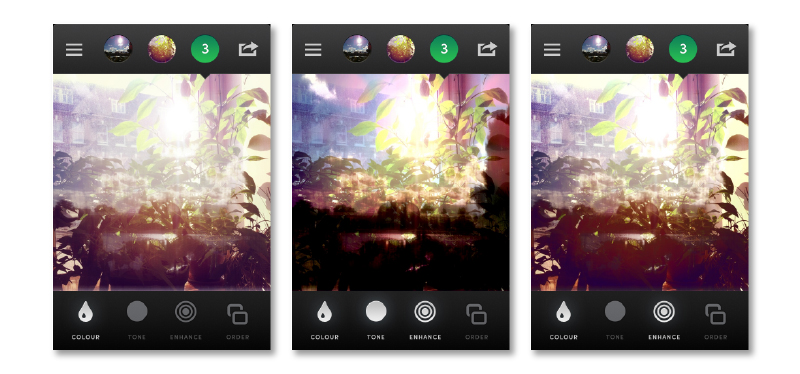
Lovely experimental experience from Goldfrapp, which allows the user to create discs which form ‘soundscapes’. Using any of the four supplied templates you can create ‘discs’ which represent sounds, the more discs you create the more multi-layered the soundscape becomes. A nice way to engage fans on it’s own, but it also comes with an accompanying ‘Tales of Us’ photo app. Through the app you can either take new photos, choose photos from your library, or have the app pick two at random. It then layers the photos as a ‘double exposure’ (see what they did there?), giving a selection of filters and adjustments that lets you create something quite similar to an Instagram filter, but with a more abstract depth. All round worth checking out.
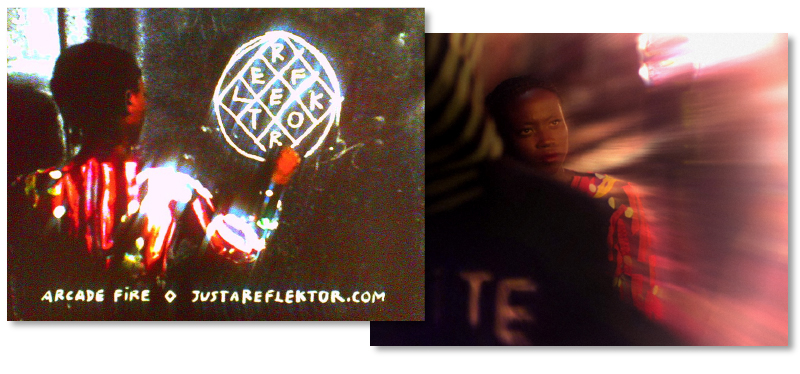
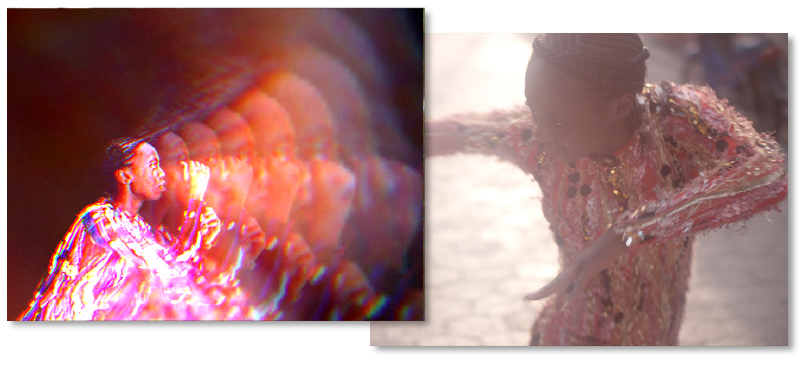
Although it takes a while to load (which might have more to do with work being quiet today than the development…) if you liked their previous offerings, like Sprawl 2, then this is well worth a look. You can either use your webcam or your mouse to interact with the video, similar to the Sprawl one, but this time your movements don’t just pause/skip/loop the video, they directly interact with it creating kaleidoscopes and bursts of light wherever you connect. Here’s how they explain it –
“We’re not just dealing with technology, we’re dealing with unique environments. A big part of the data is our engagement and gesture. We developed a HTML5 video player where we control real-time WebGL shader effects. We pair camera vision with the gyroscope and accelerometer data from the mobile device that we send to the computer through WebSockets. It’s by far the most complex thing I’ve ever worked on.”
“For me it’s always been an obsession to combine these things, to make something rich and nuanced, so you forget the technology.”
Clever stuff eh.
Watch the video and have a play (best viewed on Google Chrome) here
Written, Directed & Produced by: Vincent Morisset
Creative Direction by: Vincent Morisset and Aaron Koblin
Produced by: AATOAA, Unit9, Google Creative Lab, Antler Films
A lovely short film exploring the different ways people interpret the same piece of music, all shot from the perspective of a vinyl spinning on a record player. The film was created for “Hello, Again,” an initiative by The Lincoln Motor Company that asks filmmakers to re-imagine the familiar into something fresh and new, and I think it does that pretty well. Its the mundaneness of some of the shots that makes it especially beautiful, accompanied by a nice edit to keep the momentum ticking over.
Watch the “Record” behind-the-scenes film here
Or visit the “Hello, Again” micro-site here
Directors: Wriggles & Robins
Music: ‘Be Happy’ by Amateur Best
Nice (but not so new) campaign promoting Issey Miyake’s last perfume by enabling users to post messages using Google Street View. The experience gets its full power with the app that allows other users to discover messages directly where they have been posted via augmented reality. They don’t look too bad either!
You can take a look on the site here
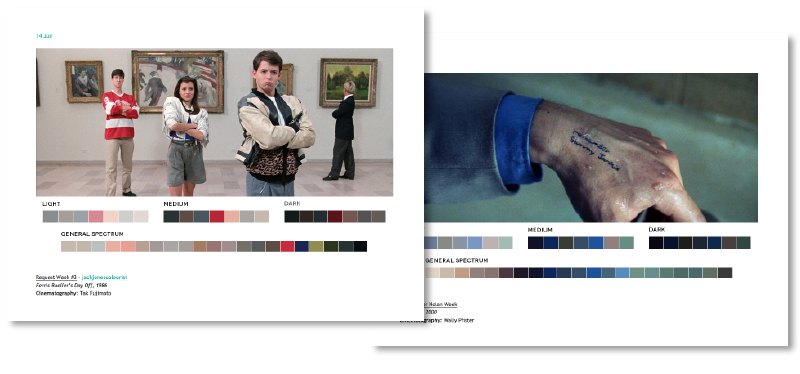
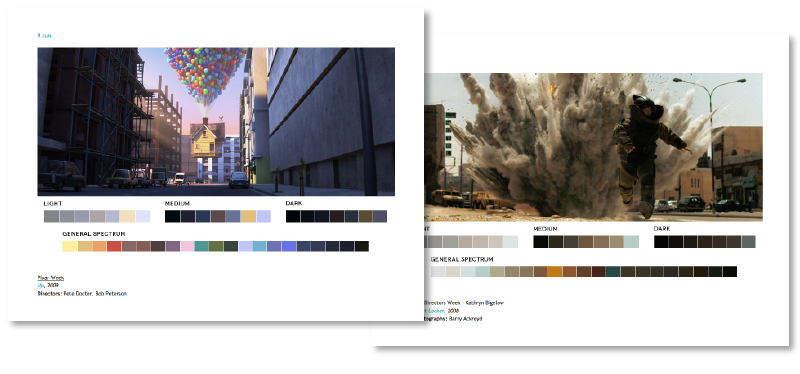
I stumbled upon Movies In Colour recently and keep finding myself wanting to re-visit it. Not only is it a lovely concept, but it also looks pretty good too (header aside…). The basic premise of the site is to take films, usually themed over each week (so one week may be Pixar, another Female Directors), and then break up the colour spectrum used within the film into ‘Light’, ‘Medium’, ‘Dark’ and ‘General Spectrum’. The process seems fairly manual, but personally I think the result is worth it.
This is how they explain it on their site –
“The idea started when I was watching Skyfall. I was taken with the cinematography and use of color more-so than the story itself. I wanted to find out what colors made up certain stills and after making a few color palettes for Skyfall, took it a step further by extending it to all films and starting a blog.
So far, the blog has not only been an aesthetic pursuit but also an educational pursuit that showcases the relationship between color, cinematography, set design, and production design. Overall, it is a study of color in films, but has other uses and applications. One of the goals is to give artists color palettes they can use in paintings, films, videos, graphic design, and other pursuits.
The Process
Research is first. I search for stills that are compositionally interesting as well as rich in color. I use the help of a color generator to get a very basic range of swatches. Then I piece together the general palette from that and other colors I think are prominent or worth including from the still. It’s all done in Photoshop to keep layout and swatch sizes consistent and to facilitate color sampling from the image.”
If you’d like to see more you can take a look at the full site here
